


Minecraft
6 个片段 380 次观看 发行于
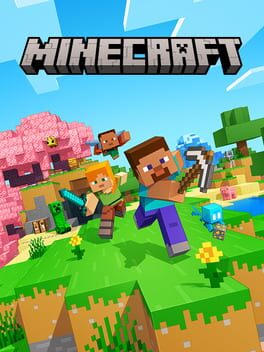


Minecraft focuses on allowing the player to explore, interact with, and modify a dynamically-generated map made of one-cubic-meter-sized blocks. In addition to blocks, the environment features plants, mobs, and items. Some activities in the game include mining for ore, fighting hostile mobs, and crafting new blocks and tools by gathering various resources found in the game. The game's open-ended model allows players to create structures, creations, and artwork on various multiplayer servers or their single-player maps. Other features include redstone circuits for logic computations and remote actions, minecarts and tracks, and a mysterious underworld called the Nether. A designated but completely optional goal of the game is to travel to a dimension called the End, and defeat the ender dragon.
- Simulator
- Adventure
- Arcade
Clippy 在后台录制 Minecraft,按一个键就能保存最后一分钟,在 Windows 上免费。 获取 Clippy
如何剪辑 Minecraft
- 安装 Clippy,免费,支持 Windows 10 或 11。NVIDIA、AMD 和 Intel 显卡都能用。
- 启动 Minecraft。Clippy 会发现这款游戏,并在后台开始录制它的窗口。如果没有,请在 Settings(设置)中手动添加这款游戏。
- 有精彩瞬间发生时,按 F8。最后一分钟会被保存成片段。时长可以设置为 20 秒到十分钟,按键也可以更改。
- 在 Clippy 中打开片段进行剪辑,然后点击 Share(分享)获取链接,或导出后发到 Discord、TikTok 或 Shorts。
Clippy 从游戏外部录制游戏窗口,不会向 Minecraft 注入任何代码。 以独占全屏运行的游戏可能录出黑屏;改用无边框或窗口模式即可解决。 片段没有水印,在你分享之前一直保存在你的电脑上。


