


Minecraft
6 klip 380 tontonan Dirilis
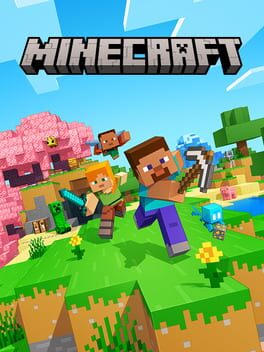


Minecraft focuses on allowing the player to explore, interact with, and modify a dynamically-generated map made of one-cubic-meter-sized blocks. In addition to blocks, the environment features plants, mobs, and items. Some activities in the game include mining for ore, fighting hostile mobs, and crafting new blocks and tools by gathering various resources found in the game. The game's open-ended model allows players to create structures, creations, and artwork on various multiplayer servers or their single-player maps. Other features include redstone circuits for logic computations and remote actions, minecarts and tracks, and a mysterious underworld called the Nether. A designated but completely optional goal of the game is to travel to a dimension called the End, and defeat the ender dragon.
- Simulator
- Adventure
- Arcade
Clippy merekam Minecraft di latar belakang dan menyimpan menit terakhir saat kamu menekan satu tombol, gratis di Windows. Dapatkan Clippy
Cara merekam klip Minecraft
- Pasang Clippy, gratis, di Windows 10 atau 11. Clippy berjalan dengan kartu grafis NVIDIA, AMD, dan Intel.
- Buka Minecraft. Clippy mendeteksi game-nya dan mulai merekam jendelanya di latar belakang. Kalau tidak, tambahkan game-nya secara manual di Settings.
- Saat terjadi sesuatu, tekan F8. Menit terakhir disimpan sebagai klip. Durasinya bisa diatur dari 20 detik sampai sepuluh menit, dan tombolnya bisa diganti.
- Buka klip di Clippy untuk memotongnya, lalu tekan Share untuk dapat link, atau ekspor untuk Discord, TikTok, atau Shorts.
Clippy merekam jendela game dari luar game dan tidak memasukkan kode apa pun ke Minecraft. Game yang berjalan dalam mode fullscreen eksklusif bisa terekam hitam; mode borderless atau windowed mengatasinya. Klip tidak diberi watermark dan tetap di PC-mu sampai kamu membagikannya.
Klip Minecraft


