


Minecraft
6本のクリップ 380回視聴 発売
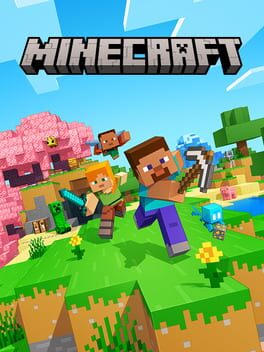


Minecraft focuses on allowing the player to explore, interact with, and modify a dynamically-generated map made of one-cubic-meter-sized blocks. In addition to blocks, the environment features plants, mobs, and items. Some activities in the game include mining for ore, fighting hostile mobs, and crafting new blocks and tools by gathering various resources found in the game. The game's open-ended model allows players to create structures, creations, and artwork on various multiplayer servers or their single-player maps. Other features include redstone circuits for logic computations and remote actions, minecarts and tracks, and a mysterious underworld called the Nether. A designated but completely optional goal of the game is to travel to a dimension called the End, and defeat the ender dragon.
- Simulator
- Adventure
- Arcade
ClippyはMinecraftをバックグラウンドで録画し、キーひとつで直前1分間を保存します。Windowsで無料です。 Clippyを入手
Minecraftをクリップする方法
- Clippyをインストール(無料、Windows 10・11対応)。NVIDIA、AMD、Intelのグラフィックスで動作します。
- Minecraftを起動します。Clippyがゲームを検知し、バックグラウンドでウィンドウの録画を始めます。始まらない場合は、Settings(設定)でゲームを手動で追加してください。
- 何かが起きたらF8を押します。直前1分間がクリップとして保存されます。長さは20秒から10分まで設定でき、キーも変更できます。
- Clippyでクリップを開いてトリミングし、Share(共有)を押してリンクを作るか、Discord、TikTok、Shorts向けに書き出します。
Clippyはゲームの外からゲームのウィンドウを録画し、Minecraftにコードを入れることはありません。 排他的フルスクリーンで動作しているゲームは真っ黒に録画されることがあります。ボーダーレスまたはウィンドウモードにすると直ります。 クリップにウォーターマークは入らず、共有するまでPCに保存されたままです。


