


Minecraft
6 klipów 380 wyświetleń Premiera:
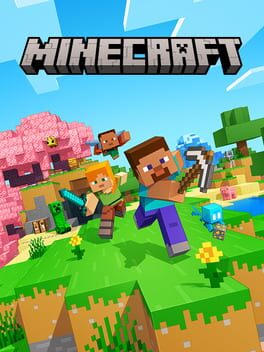


Minecraft focuses on allowing the player to explore, interact with, and modify a dynamically-generated map made of one-cubic-meter-sized blocks. In addition to blocks, the environment features plants, mobs, and items. Some activities in the game include mining for ore, fighting hostile mobs, and crafting new blocks and tools by gathering various resources found in the game. The game's open-ended model allows players to create structures, creations, and artwork on various multiplayer servers or their single-player maps. Other features include redstone circuits for logic computations and remote actions, minecarts and tracks, and a mysterious underworld called the Nether. A designated but completely optional goal of the game is to travel to a dimension called the End, and defeat the ender dragon.
- Simulator
- Adventure
- Arcade
Clippy nagrywa Minecraft w tle i zapisuje ostatnią minutę, gdy naciśniesz jeden klawisz, za darmo na Windowsie. Pobierz Clippy
Jak nagrywać klipy z Minecraft
- Zainstaluj Clippy, za darmo, na Windows 10 lub 11. Działa z grafiką NVIDIA, AMD i Intel.
- Uruchom Minecraft. Clippy zauważa grę i zaczyna nagrywać jej okno w tle. Jeśli tak się nie stanie, dodaj grę ręcznie w Settings (Ustawienia).
- Gdy coś się wydarzy, naciśnij F8. Ostatnia minuta zostaje zapisana jako klip. Długość można ustawić od 20 sekund do dziesięciu minut, a klawisz da się zmienić.
- Otwórz klip w Clippy, żeby go przyciąć, potem naciśnij Share (Udostępnij), aby dostać link, albo wyeksportuj go na Discorda, TikToka lub Shorts.
Clippy nagrywa okno gry z zewnątrz i nie umieszcza żadnego kodu w Minecraft. Gra działająca w wyłącznym trybie pełnoekranowym może nagrać się na czarno; tryb bez ramek albo okienkowy to naprawia. Klipy nie mają znaku wodnego i zostają na twoim PC, dopóki ich nie udostępnisz.
Klipy z Minecraft


