


Minecraft
6 clips 380 προβολές Κυκλοφορία:
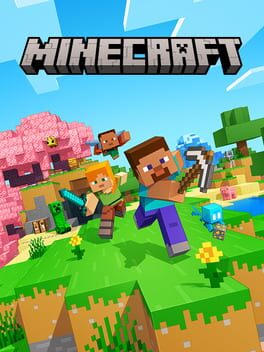


Minecraft focuses on allowing the player to explore, interact with, and modify a dynamically-generated map made of one-cubic-meter-sized blocks. In addition to blocks, the environment features plants, mobs, and items. Some activities in the game include mining for ore, fighting hostile mobs, and crafting new blocks and tools by gathering various resources found in the game. The game's open-ended model allows players to create structures, creations, and artwork on various multiplayer servers or their single-player maps. Other features include redstone circuits for logic computations and remote actions, minecarts and tracks, and a mysterious underworld called the Nether. A designated but completely optional goal of the game is to travel to a dimension called the End, and defeat the ender dragon.
- Simulator
- Adventure
- Arcade
Το Clippy καταγράφει το Minecraft στο παρασκήνιο και αποθηκεύει το τελευταίο λεπτό όταν πατήσεις ένα πλήκτρο, δωρεάν στα Windows. Κατέβασε το Clippy
Πώς να κάνεις clip στο Minecraft
- Εγκατάστησε το Clippy, δωρεάν, σε Windows 10 ή 11. Δουλεύει με κάρτες γραφικών NVIDIA, AMD και Intel.
- Ξεκίνα το Minecraft. Το Clippy εντοπίζει το παιχνίδι και αρχίζει να καταγράφει το παράθυρό του στο παρασκήνιο. Αν δεν το κάνει, πρόσθεσε το παιχνίδι με το χέρι στο Settings (Ρυθμίσεις).
- Όταν συμβεί κάτι, πάτα F8. Το τελευταίο λεπτό αποθηκεύεται ως clip. Η διάρκεια ρυθμίζεται από 20 δευτερόλεπτα έως δέκα λεπτά, και το πλήκτρο αλλάζει.
- Άνοιξε το clip στο Clippy για να το κόψεις, μετά πάτα Share για link, ή κάνε εξαγωγή για Discord, TikTok ή Shorts.
Το Clippy καταγράφει το παράθυρο του παιχνιδιού έξω από το παιχνίδι και δεν βάζει κώδικα μέσα στο Minecraft. Ένα παιχνίδι που τρέχει σε αποκλειστική πλήρη οθόνη (exclusive fullscreen) μπορεί να βγει μαύρο. Η λειτουργία borderless ή παραθύρου το διορθώνει. Τα clips δεν έχουν υδατογράφημα και μένουν στο PC σου μέχρι να τα μοιραστείς.
Clips από Minecraft


