


Minecraft
6 مقاطع 380 مشاهدة صدرت في
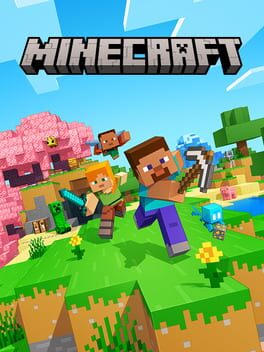


Minecraft focuses on allowing the player to explore, interact with, and modify a dynamically-generated map made of one-cubic-meter-sized blocks. In addition to blocks, the environment features plants, mobs, and items. Some activities in the game include mining for ore, fighting hostile mobs, and crafting new blocks and tools by gathering various resources found in the game. The game's open-ended model allows players to create structures, creations, and artwork on various multiplayer servers or their single-player maps. Other features include redstone circuits for logic computations and remote actions, minecarts and tracks, and a mysterious underworld called the Nether. A designated but completely optional goal of the game is to travel to a dimension called the End, and defeat the ender dragon.
- Simulator
- Adventure
- Arcade
Clippy يسجل Minecraft في الخلفية ويحفظ آخر دقيقة حين تضغط زراً واحداً، مجاناً على Windows. احصل على Clippy
طريقة تسجيل مقاطع Minecraft
- ثبّت Clippy، مجاناً، على Windows 10 أو 11. يعمل مع بطاقات رسومات NVIDIA و AMD و Intel.
- شغّل Minecraft. Clippy يلاحظ اللعبة ويبدأ تسجيل نافذتها في الخلفية. وإن لم يفعل، فأضف اللعبة يدوياً من Settings (الإعدادات).
- عندما يحدث شيء، اضغط F8. تُحفظ آخر دقيقة كمقطع. يمكن ضبط المدة من 20 ثانية إلى عشر دقائق، ويمكن تغيير الزر.
- افتح المقطع في Clippy لقصّه، ثم اضغط Share (مشاركة) للحصول على رابط، أو صدّره لـ Discord أو TikTok أو Shorts.
Clippy يسجل نافذة اللعبة من خارجها ولا يضع أي كود داخل Minecraft. اللعبة التي تعمل بوضع ملء الشاشة الحصري قد تظهر سوداء في التسجيل، ووضع النافذة بلا حدود أو وضع النافذة يحل ذلك. المقاطع بلا علامة مائية وتبقى على جهازك إلى أن تشاركها.
مقاطع Minecraft


