Counter-Strike 2
5 clip 422 view Ni-release noong

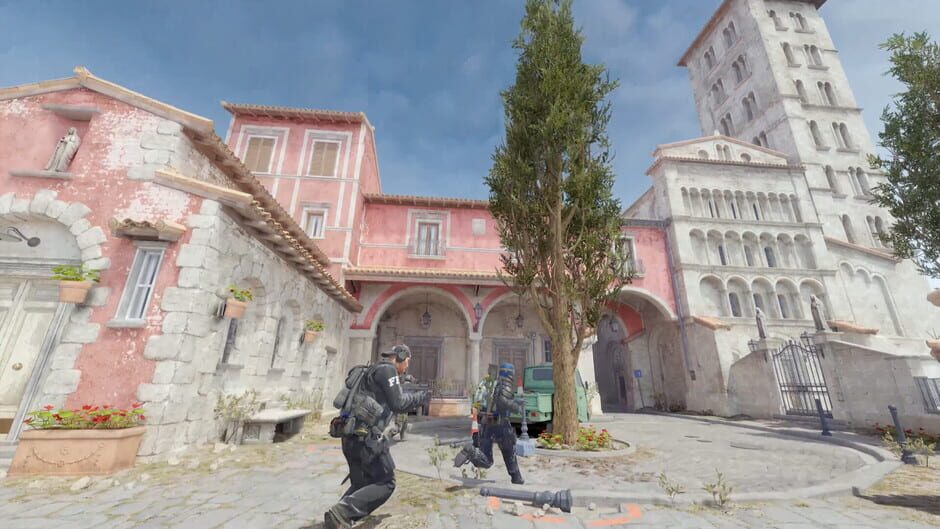


Counter-Strike 2 is a free-to-play multiplayer tactical first-person shooter developed and published by Valve. Released in September 2023, it is the fifth main entry in the Counter-Strike series and serves as a direct replacement for Counter-Strike: Global Offensive on Steam. Two teams, Terrorists and Counter-Terrorists, compete in objective-based rounds across modes such as bomb defusal and hostage rescue. Built on the Source 2 engine, the game introduced volumetric smoke physics, revised weapon handling, and a new sub-tick server architecture. It inherited all cosmetic items from its predecessor and features both a map-specific Competitive mode and a numerically ranked Premier mode.
- Shooter
- Tactical
Nire-record ng Clippy ang Counter-Strike 2 sa background at sine-save ang huling minuto sa isang pindot lang, libre sa Windows. How to clip Counter-Strike 2
Paano mag-clip ng Counter-Strike 2
- I-install ang Clippy, libre, sa Windows 10 o 11. Gumagana ito sa NVIDIA, AMD at Intel na graphics.
- Buksan ang Counter-Strike 2. Napapansin ng Clippy ang game at sinisimulan nitong i-record ang window nito sa background. Kung hindi, idagdag nang mano-mano ang game sa Settings.
- Kapag may nangyari, pindutin ang F8. Ise-save ang huling minuto bilang clip. Puwedeng i-set ang haba mula 20 segundo hanggang sampung minuto, at puwedeng palitan ang key.
- Buksan ang clip sa Clippy para i-trim, tapos pindutin ang Share para sa link, o i-export ito para sa Discord, TikTok o Shorts.
Nire-record ng Clippy ang window ng game mula sa labas ng game at wala itong inilalagay na code sa Counter-Strike 2. Puwedeng lumabas na itim ang game na naka-exclusive fullscreen; naaayos iyon ng borderless o windowed mode. Walang watermark ang clips at nasa PC mo lang ang mga ito hangga't hindi mo sine-share.