Counter-Strike 2
클립 5개 조회수 422회 출시일

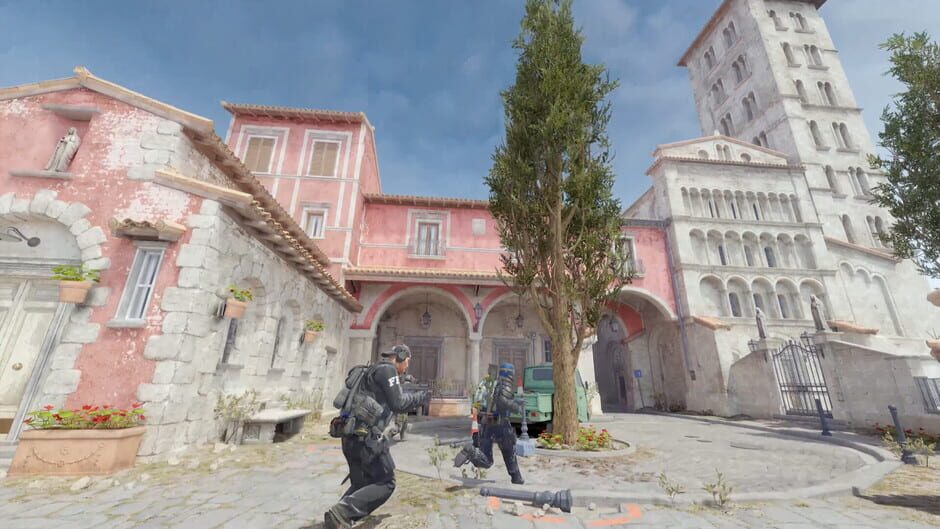


Counter-Strike 2 is a free-to-play multiplayer tactical first-person shooter developed and published by Valve. Released in September 2023, it is the fifth main entry in the Counter-Strike series and serves as a direct replacement for Counter-Strike: Global Offensive on Steam. Two teams, Terrorists and Counter-Terrorists, compete in objective-based rounds across modes such as bomb defusal and hostage rescue. Built on the Source 2 engine, the game introduced volumetric smoke physics, revised weapon handling, and a new sub-tick server architecture. It inherited all cosmetic items from its predecessor and features both a map-specific Competitive mode and a numerically ranked Premier mode.
- Shooter
- Tactical
Clippy는 백그라운드에서 Counter-Strike 2 게임을 녹화하고, 키 하나만 누르면 마지막 1분을 저장해요. Windows에서 무료예요. How to clip Counter-Strike 2
Counter-Strike 2 클립 저장 방법
- Windows 10 또는 11에 Clippy를 설치하세요. 무료예요. NVIDIA, AMD, Intel 그래픽에서 작동해요.
- Counter-Strike 2 게임을 실행하세요. Clippy가 게임을 감지하고 백그라운드에서 게임 창을 녹화하기 시작해요. 감지하지 못하면 Settings(설정)에서 게임을 직접 추가하세요.
- 무슨 일이 벌어지면 F8을 누르세요. 마지막 1분이 클립으로 저장돼요. 길이는 20초부터 10분까지 설정할 수 있고, 키도 바꿀 수 있어요.
- Clippy에서 클립을 열어 자른 다음, Share를 눌러 링크를 받거나 Discord, TikTok, Shorts용으로 내보내세요.
Clippy는 게임 밖에서 게임 창을 녹화하며 Counter-Strike 2 안에 어떤 코드도 넣지 않아요. 전체 화면 전용 모드로 실행 중인 게임은 화면이 검게 나올 수 있어요. 테두리 없는 창 모드나 창 모드로 바꾸면 해결돼요. 클립에는 워터마크가 없고, 공유하기 전까지 내 PC에만 있어요.