Counter-Strike 2
5 klipów 422 wyświetlenia Premiera:

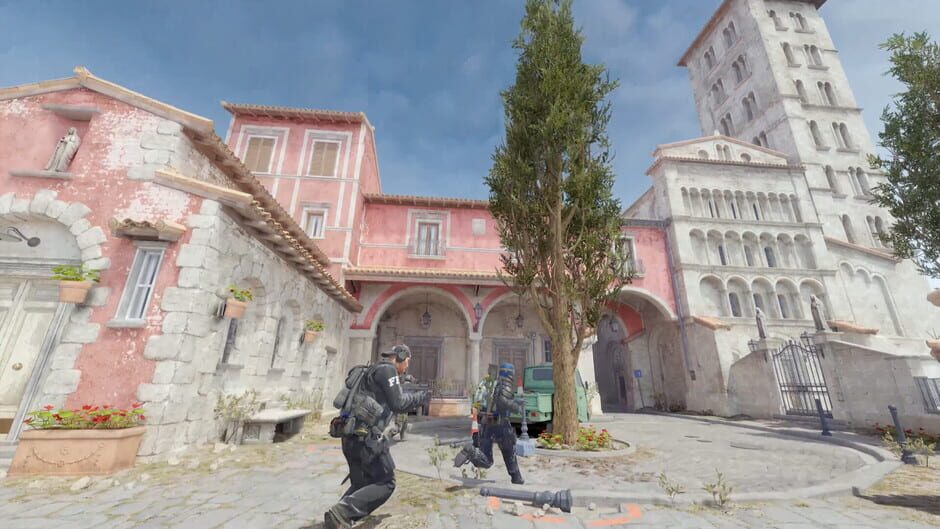


Counter-Strike 2 is a free-to-play multiplayer tactical first-person shooter developed and published by Valve. Released in September 2023, it is the fifth main entry in the Counter-Strike series and serves as a direct replacement for Counter-Strike: Global Offensive on Steam. Two teams, Terrorists and Counter-Terrorists, compete in objective-based rounds across modes such as bomb defusal and hostage rescue. Built on the Source 2 engine, the game introduced volumetric smoke physics, revised weapon handling, and a new sub-tick server architecture. It inherited all cosmetic items from its predecessor and features both a map-specific Competitive mode and a numerically ranked Premier mode.
- Shooter
- Tactical
Clippy nagrywa Counter-Strike 2 w tle i zapisuje ostatnią minutę, gdy naciśniesz jeden klawisz, za darmo na Windowsie. How to clip Counter-Strike 2
Jak nagrywać klipy z Counter-Strike 2
- Zainstaluj Clippy, za darmo, na Windows 10 lub 11. Działa z grafiką NVIDIA, AMD i Intel.
- Uruchom Counter-Strike 2. Clippy zauważa grę i zaczyna nagrywać jej okno w tle. Jeśli tak się nie stanie, dodaj grę ręcznie w Settings (Ustawienia).
- Gdy coś się wydarzy, naciśnij F8. Ostatnia minuta zostaje zapisana jako klip. Długość można ustawić od 20 sekund do dziesięciu minut, a klawisz da się zmienić.
- Otwórz klip w Clippy, żeby go przyciąć, potem naciśnij Share (Udostępnij), aby dostać link, albo wyeksportuj go na Discorda, TikToka lub Shorts.
Clippy nagrywa okno gry z zewnątrz i nie umieszcza żadnego kodu w Counter-Strike 2. Gra działająca w wyłącznym trybie pełnoekranowym może nagrać się na czarno; tryb bez ramek albo okienkowy to naprawia. Klipy nie mają znaku wodnego i zostają na twoim PC, dopóki ich nie udostępnisz.
Klipy z Counter-Strike 2