



Command & Conquer™ 4
1 clip 150 view Ni-release noong
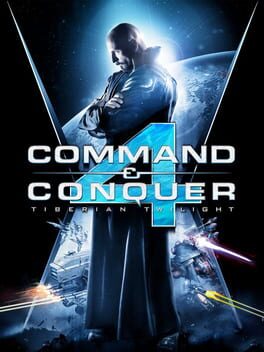
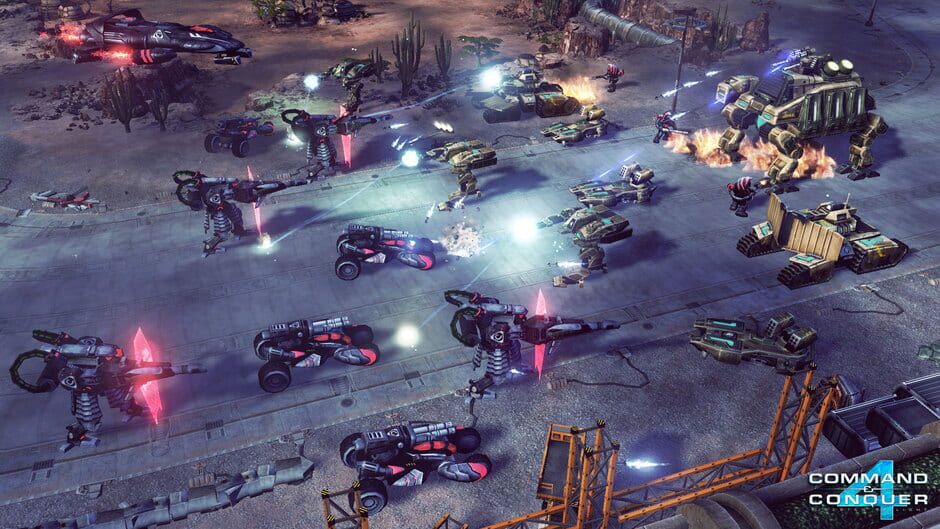


Behold disciples of Nod, for the end is soon upon us. Electronic Arts’ award-winning and best-selling Tiberium saga is coming to a powerful conclusion with Command & Conquer 4, which will introduce a multitude of innovations to the classic fast and fluid Command & Conquer gameplay, while retaining the core compulsions that fans have come to love over the series’ history. It is the year 2062 and humanity is at the brink of extinction. Tiberium, the mysterious, alien crystalline structure that has infested Earth for decades and served as the primary reason for years of relentless conflict between the Global Defense Initiative (GDI) and the Brotherhood of Nod, is close to rendering the planet uninhabitable. Mankind is on the verge of extinction when Kane, Nod’s prophetic leader, emerges from seclusion to deliver GDI the message that he has developed a system that could control Tiberium and harness its power. But he cannot build this "Tiberium Control Network" without GDI’s cooperation. Thus, the two opposing factions – GDI and Nod – inevitably find themselves in desperation for the same cause: to stop Tiberium from extinguishing mankind. After 15 years, the network is nearly complete, Tiberium is under strict control and our revitalized, newly terraformed planet is on the cusp of a new age of prosperity and progress. It is then that the world’s citizens begin to seriously ponder why Kane chose to help, and what will he want in return. These questions and more lead to the dramatic final act of the Tiberium saga. With a multitude of innovative new features to the fast and fluid C&C gameplay, Command & Conquer 4 offers players an entirely new way to play C&C. An all-in-one mobile base, persistent player progression across all game modes that is constantly updated in a real-time online profile, a 3-class system for each of the two factions, co-operative play, and a 5v5 objective-based multiplayer mode that promotes teamwork and social interaction, make Command & Conquer 4 unlike any other C&C experience.
- Real Time Strategy (RTS)
- Strategy
Nire-record ng Clippy ang Command & Conquer™ 4 sa background at sine-save ang huling minuto sa isang pindot lang, libre sa Windows. Kunin ang Clippy
Paano mag-clip ng Command & Conquer™ 4
- I-install ang Clippy, libre, sa Windows 10 o 11. Gumagana ito sa NVIDIA, AMD at Intel na graphics.
- Buksan ang Command & Conquer™ 4. Napapansin ng Clippy ang game at sinisimulan nitong i-record ang window nito sa background. Kung hindi, idagdag nang mano-mano ang game sa Settings.
- Kapag may nangyari, pindutin ang F8. Ise-save ang huling minuto bilang clip. Puwedeng i-set ang haba mula 20 segundo hanggang sampung minuto, at puwedeng palitan ang key.
- Buksan ang clip sa Clippy para i-trim, tapos pindutin ang Share para sa link, o i-export ito para sa Discord, TikTok o Shorts.
Nire-record ng Clippy ang window ng game mula sa labas ng game at wala itong inilalagay na code sa Command & Conquer™ 4. Puwedeng lumabas na itim ang game na naka-exclusive fullscreen; naaayos iyon ng borderless o windowed mode. Walang watermark ang clips at nasa PC mo lang ang mga ito hangga't hindi mo sine-share.
Mga Command & Conquer™ 4 clip
