Starfield
1本のクリップ 86回視聴 発売
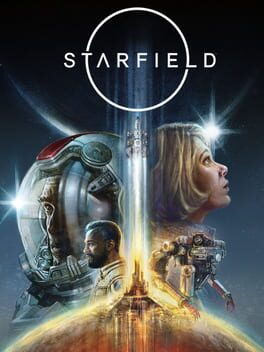



Starfield is a single-player action role-playing game developed by Bethesda Game Studios and set in an open-world space environment. Players create a customizable character and explore a region of the Milky Way galaxy spanning approximately 50 light-years, landing on over 1,000 planets with procedurally generated landscapes. Gameplay includes first-person and third-person combat using firearms, explosives, and melee weapons, as well as spaceship construction, outpost building, resource gathering, and crafting. Players recruit companion characters, join factions, and progress through skill trees spanning Physical, Social, Combat, Science, and Tech categories.
- Shooter
- Role-playing (RPG)
- Adventure
ClippyはStarfieldをバックグラウンドで録画し、キーひとつで直前1分間を保存します。Windowsで無料です。 Clippyを入手
Starfieldをクリップする方法
- Clippyをインストール(無料、Windows 10・11対応)。NVIDIA、AMD、Intelのグラフィックスで動作します。
- Starfieldを起動します。Clippyがゲームを検知し、バックグラウンドでウィンドウの録画を始めます。始まらない場合は、Settings(設定)でゲームを手動で追加してください。
- 何かが起きたらF8を押します。直前1分間がクリップとして保存されます。長さは20秒から10分まで設定でき、キーも変更できます。
- Clippyでクリップを開いてトリミングし、Share(共有)を押してリンクを作るか、Discord、TikTok、Shorts向けに書き出します。
Clippyはゲームの外からゲームのウィンドウを録画し、Starfieldにコードを入れることはありません。 排他的フルスクリーンで動作しているゲームは真っ黒に録画されることがあります。ボーダーレスまたはウィンドウモードにすると直ります。 クリップにウォーターマークは入らず、共有するまでPCに保存されたままです。